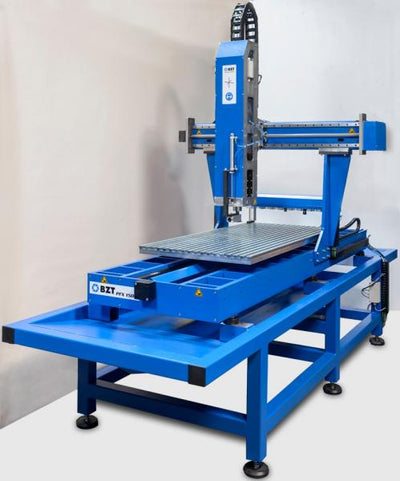
Every CNC operator — from hobbyist to professional — makes mistakes. The difference between beginners and experienced machinists isn't that the latter never make errors; it's that they've learned to recognize the warning signs early and know how to correct course before a mistake becomes a broken tool, a scrapped part, or a damaged machine.
After nearly two decades of building CNC machines and supporting our customers, we've seen the same mistakes repeat across workshops worldwide. Here are the five most common ones, along with practical strategies to avoid them.
Mistake #1: Wrong Feeds and Speeds
What Happens
Feeds and speeds errors come in two flavors, and the "safe" one is actually more dangerous:
- Too aggressive — Tool overload, deflection, broken tools, chatter marks. Obvious and loud. You'll know immediately.
- Too conservative — Rubbing instead of cutting. Heat builds up. Tool dulls prematurely. Material melts (especially aluminum and plastics). Surface finish degrades. This one is insidious because the cut looks fine at first.
How to Detect It
- Listen: A good cut has a consistent sound. Chatter (vibration) produces a distinctive high-pitched screech. Rubbing produces a dull, hissing sound with no "crunch" of material removal.
- Watch the chips: Good chips are small, consistent, and cool to the touch. Long stringy chips mean too much heat. Dust instead of chips means too little engagement (especially in metals).
- Check the tool: After a cut, examine the tool under magnification. Built-up material on the edges means too much heat from insufficient chip load.
How to Fix It
Start with the fundamental formula:
Feed rate (mm/min) = RPM × number of flutes × chip load per tooth (mm)
For example: 20,000 RPM × 2 flutes × 0.08 mm = 3,200 mm/min
Key principles:
- Each tooth must take a real chip. Chip load below 0.03 mm/tooth in most materials is rubbing, not cutting.
- When in doubt, increase feed rate rather than decrease it (within reason). More chip load = more cooling through chip removal.
- Reduce depth or width of cut before reducing feed rate. Maintain proper chip load while reducing total load on the machine.
- Use your CAM software's feed and speed calculator, or dedicated tools like GWizard, HSMAdvisor, or the Kennametal feed/speed calculator.
Mistake #2: Poor Workholding
What Happens
The workpiece moves during cutting. This can be subtle (0.1 mm shift causing dimensional inaccuracy) or catastrophic (part launches off the table, tool breaks, machine crashes). Poor workholding also causes:
- Chatter and vibration — Unsupported material vibrates, destroying surface finish and accelerating tool wear
- Dimensional inaccuracy — Part shifts between operations, misaligning features
- Dangerous situations — Loose material becomes a projectile
How to Detect It
- Check for witness marks on the table surface (scratches from workpiece movement)
- Look for inconsistent depth of cut across the part
- Listen for intermittent chatter that comes and goes (vibration in unsupported areas)
- Measure critical dimensions after machining — shifts as small as 0.05 mm indicate movement
How to Fix It
- Match the method to the material: Vacuum for large sheet materials, mechanical clamps for blocks and 3D parts, double-sided tape + screws for small parts
- Support the workpiece fully: No unsupported overhangs. Material that vibrates will always produce poor results.
- Use sacrificial fixturing: Screw the workpiece to a sacrificial MDF board that's itself clamped to the table. This provides full-surface support.
- Always test before cutting: Try to move the workpiece by hand before starting the program. If you can move it, the machine will too.
- Add a roughing-only first op: When you're unsure about holding, run a roughing pass at 50% feed first. If the workpiece holds, run the full job.
Explore our range of CNC accessories for workholding solutions including T-slot clamps, vises, and vacuum systems.
Mistake #3: Using Dull Tools
What Happens
Dull tools don't cut — they push, rub, and generate heat. The consequences compound quickly:
- Cutting forces increase 2–5× as the edge deteriorates
- Surface finish degrades (torn surfaces, rough edges)
- Heat buildup causes material deformation
- Spindle load increases, potentially overloading the motor
- In aluminum: material welds to the tool, making it even duller, creating a feedback loop that ends with tool breakage
How to Detect It
- Visual inspection: Under a 10× loupe or microscope, check cutting edges for chipping, rounding, or built-up material
- Sound change: A dull tool sounds different — louder, higher pitched, less consistent
- Increased cutting forces: If your machine has spindle load monitoring, watch for gradual increases over time
- Surface finish degradation: When surfaces start looking "fuzzy" or "torn" instead of clean, the tool is done
- Chip quality: Discolored chips (blue, brown) indicate excessive heat from a dull edge
How to Fix It
- Replace tools on a schedule — Don't wait for failure. Track tool life in minutes or meters of cutting distance. Set conservative replacement intervals and adjust based on actual wear observations.
- Keep a tool log — Record when each tool was installed, what materials it cut, and how long it ran. Patterns will emerge that help you predict tool life.
- Store tools properly — Keep end mills in their cases. Tools rattling against each other in a drawer chip each other.
- Use appropriate tools for each material — A tool optimized for aluminum will wear faster in hardwood (due to the wood's abrasive silica content) and vice versa.
- Never run a suspect tool on a good part — If you're unsure whether a tool is still sharp, run a test cut in scrap material first.
Browse our cutting tool selection for single-flute, two-flute, and specialty end mills suited to your material.
Mistake #4: Ignoring Chip Evacuation
What Happens
Chips that remain in the cutting zone get re-cut. Each re-cutting event generates heat and additional wear. In pockets and slots, chips accumulate and pack against the tool, dramatically increasing cutting forces. The result:
- Tool breakage from packed chips overloading the flutes
- Poor surface finish from chip marks and scratches
- Heat buildup causing material deformation or tool coating failure
- In aluminum: chips weld to the tool, creating a larger effective diameter that may crash into walls
How to Detect It
- Visible chip accumulation around the tool during cutting
- Chips falling back into the pocket or slot after the tool passes
- Scratches or chip marks on finished surfaces
- Tool temperature increases (touch test the tool after retracting — be careful)
- Sound changes during deep pocketing operations
How to Fix It
- Always run dust extraction or air blast — This is non-negotiable. Even a simple shopvac hose positioned near the cutting zone helps enormously.
- Use downcut or compression end mills appropriately: Downcut tools push chips into the slot — only use them when surface quality on the top face is critical and chips can exit from the bottom. Upcut tools evacuate chips upward and are generally preferred.
- Program chip-clearing passes: In deep pockets, retract the tool periodically and blow out accumulated chips.
- Use adaptive/trochoidal toolpaths: These maintain low radial engagement, giving chips room to escape the cutting zone.
- Reduce depth per pass in slots: If you must slot (full-width cutting), keep depth of cut below 1× tool diameter and ensure chips can exit along the flute helix.
Mistake #5: Skipping Test Cuts
What Happens
You've designed the part, programmed the toolpaths, set up the material, and you're eager to see the finished result. So you hit "start" and run the full job. And then:
- The tool plunges into the material because the Z-zero was set wrong
- The part comes out 2 mm too small because of a coordinate system error
- The tool crashes into a clamp that was in the way
- A plunge move ramps too fast and breaks the tool
- The program runs perfectly — on a $200 piece of material that's now scrap because of a design error you could have caught on a $5 piece of MDF
How to Detect It
You can't detect this mistake after the fact. The point is prevention. Every experienced machinist has a story about an expensive piece of material ruined by a simple, preventable error.
How to Fix It
Build a test-cut protocol into your workflow:
- Dry run (air cut): Run the program with the Z raised 20 mm above the material. Watch the full toolpath. Check that the tool doesn't travel outside the material boundaries or crash into clamps.
- Single-block mode: Run the first few operations in single-block (step) mode, especially plunge moves and initial cuts. Verify each move before proceeding.
- Scrap material test: Run the program (or critical portions) on cheap material — MDF, foam, or scrap stock — before committing to your final material.
- Verify Z-zero: Before every job, jog the tool to X0 Y0 Z0 and verify the tool tip is where you expect it. Touch off on the material surface manually.
- Check tool lengths: If using multiple tools, verify each tool length measurement. A 1 mm tool length error ruins the part.
- Review the toolpath visualization: Your CAM software shows you exactly where the tool will go. Review it carefully, looking for unexpected rapid moves, plunges, and any motion near clamps or fixturing.
This 10-minute protocol saves hours of rework and hundreds of euros in wasted material. Make it a habit and it becomes second nature.
Bonus: Building Good CNC Habits
Beyond these five mistakes, here are habits that separate productive CNC operators from frustrated ones:
- Document everything. When a job runs well, record the parameters. When it fails, document what went wrong. Your own experience database is more valuable than any textbook.
- Clean the machine regularly. Chips in the linear guides cause premature wear. A clean machine is a precise machine.
- Check alignment periodically. Tram the spindle (check perpendicularity to the table) monthly. It drifts over time.
- Start simple. Master 2D profiling and pocketing before moving to 3D contouring. Master wood before moving to aluminum. Each step builds foundational skills.
- Invest in good tools. Cheap end mills cost more in the long run through higher breakage rates, worse surface finish, and more rework. Quality tools are an investment that pays for itself.
If you're setting up your workshop and need guidance on choosing the right CNC machine, or want to explore accessories and cutting tools, our team is here to help.
Frequently Asked Questions
What is the most common CNC milling mistake?
Wrong feeds and speeds — specifically, running too conservative a feed rate that causes rubbing instead of cutting. This generates heat, dulls the tool prematurely, and in aluminum and plastics, melts the material onto the tool. Each tooth must take a real chip on every revolution. Use the formula: feed rate = RPM × flutes × chip load per tooth, and ensure chip load is at least 0.03 mm/tooth in most materials.
How do I know if my CNC end mill is dull?
Signs of a dull CNC end mill include: changed cutting sound (louder, higher pitched), degraded surface finish (fuzzy or torn surfaces instead of clean cuts), discolored chips (blue or brown from excessive heat), visible edge rounding or chipping under magnification, increased vibration or chatter, and material sticking to the cutting edges. When in doubt, run a test cut in scrap material and compare the result to a known-good cut.
Why does my CNC machine chatter during cutting?
CNC chatter is caused by vibration in the cutting system. Common causes include: unsupported workpiece areas that vibrate, too aggressive depth or width of cut for the machine's rigidity, tool stickout that's too long (increasing deflection), worn spindle bearings, or resonant frequencies being excited at certain RPM. To reduce chatter: reduce depth of cut, shorten tool stickout, ensure the workpiece is fully supported, and try changing RPM by 10–15% to move away from the resonant frequency.
Should I do a test cut before every CNC job?
Yes, always. At minimum, run a dry pass (air cut with Z raised 20 mm) to verify the toolpath and check for clamp collisions. For any part using expensive material, new toolpaths, or unfamiliar parameters, run a test cut in cheap MDF or foam first. This 10-minute protocol routinely saves hours of rework and hundreds of euros in wasted material. Even experienced machinists follow this practice — especially on one-off parts.
How do I calculate CNC feeds and speeds?
The basic feed rate formula is: Feed rate (mm/min) = Spindle RPM × number of flutes × chip load per tooth (mm). Chip load values come from the tool manufacturer's recommendations for your specific material. For example, a 2-flute 6 mm end mill at 20,000 RPM with 0.08 mm chip load: 20,000 × 2 × 0.08 = 3,200 mm/min. Then set depth of cut based on radial engagement: full slotting = 0.5-1× tool diameter depth, adaptive toolpaths with 15% stepover = 1-3× tool diameter depth.